Understanding movement and texture in your tone
Modulation 101: Chorus, Flanger, Phaser
Modulation effects are the 'movement' family of guitar effects. While overdrive adds grit and delay adds space, modulation adds something different: motion. By subtly shifting pitch and time, these effects make your guitar sound like it's breathing, swirling, and evolving. Understanding modulation is key to developing your own signature texture.
The Best Match for Your Style
The standard chorus for clean tones. Adds width and lushness without dominating your tone.
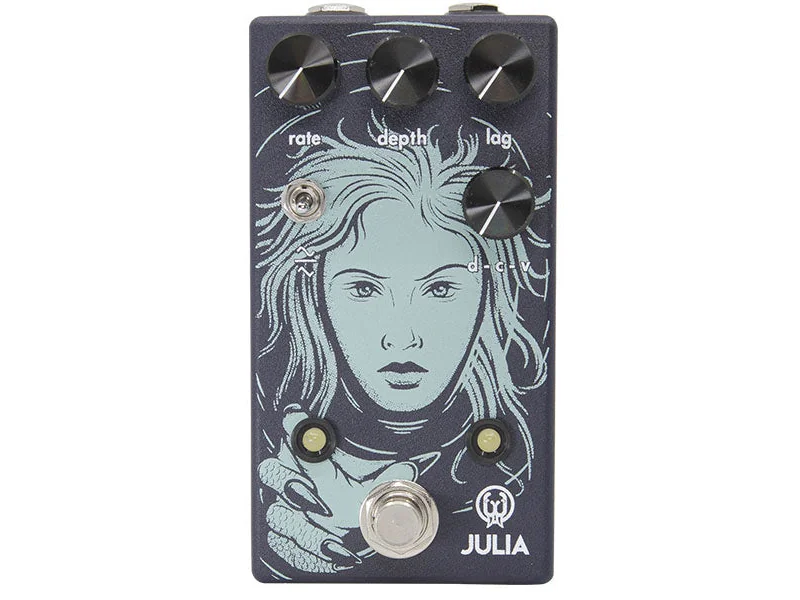
Julia V2
Walrus Audio
Analog-warm chorus with beautiful, musical movement. The modern classic.
Classic flanger for rock. Adds presence and texture to leads without overwhelming.
The Common Thread: LFO
All modulation effects share one common ingredient: the LFO (Low Frequency Oscillator).
What is an LFO?
- A low-frequency sound wave (below human hearing)
- Controls how an effect changes over time
- Creates the "movement" or "sweep" effect
LFO Rate: How fast the LFO cycles. Measured in Hz (cycles per second).
- Slow (0.1-1 Hz): Gradual, subtle movement
- Medium (1-5 Hz): Classic modulation sound
- Fast (5-10 Hz): Intense, obvious effect
LFO Depth: How much the LFO affects the sound.
- Shallow: Subtle movement, almost transparent
- Deep: Obvious, dramatic effect
Chorus: Width and Richness
How It Works
Chorus takes your guitar signal and mixes it with a pitch-shifted copy. The pitch shifts slightly up and down, creating the illusion of multiple instruments playing together.
The Sound
- Adds width, thickness, lushness
- Makes single notes sound like chords
- Subtle on low settings, obvious on high
- Classic 1980s clean tone sound
Best Settings
- Subtle: Rate 0.5Hz, Depth 25%
- Standard: Rate 1-2Hz, Depth 50%
- Obvious: Rate 3-4Hz, Depth 75%
Best For
- Clean tone enhancement
- Pop, funk, R&B
- Adding body to thin-sounding guitars
- Stereo rigs (it doubles in stereo)
Flanger: The Sweep
How It Works
Flanger uses a very short delay (2-20ms) that's modulated by an LFO. This creates frequency "notches" that sweep through your tone, creating that characteristic "whoosh."
The Sound
- Jet-engine sweep
- More pronounced than chorus
- Can sound subtle or intense
- 1970s rock staple
Best Settings
- Subtle: Rate 0.5Hz, Feedback 30%
- Standard: Rate 1-2Hz, Feedback 50%
- Intense: Rate 3-4Hz, Feedback 70%
Best For
- Rock solos (adds presence)
- 1970s and 1980s tones
- Adding texture to leads
- Creating dramatic moments
The Feedback Control
Flanger has a unique control: feedback. This feeds the effect's output back into the input, creating more pronounced resonance. High feedback creates that intense, screaming flanger sound.
Phaser: The Swirl
How It Works
Phaser splits your signal and passes one copy through a series of phase-shifting filters. These filters create notches in the frequency response that move as the LFO modulates them.
The Sound
- Subtle swirl
- Spacey, psychedelic
- Less obvious than flanger
- Classic 1960s and 1970s sound
Best Settings
- Subtle: Rate 0.5Hz, Depth 30%
- Standard: Rate 1-2Hz, Depth 50%
- Intense: Rate 4-5Hz, Depth 75%
Best For
- Psychedelic rock
- Classic rock
- Adding space to leads
- When you want movement but not obvious effect
Comparing the Three
| Effect | Character | Best Use | Classic Setting |
|--------|-----------|----------|----------------|
| Chorus | Thick, lush | Clean tones | Rate 1Hz, Depth 50% |
| Flanger | Sweeping, jet-like | Rock leads | Rate 2Hz, Feedback 50% |
| Phaser | Swirling, spacey | Psychedelia | Rate 1Hz, Depth 50% |
Signal Chain Placement
Standard placement (after overdrive):
- Overdrive → Chorus → Delay → Reverb
- Works for most rock applications
- Chorus smooths out any harshness from overdrive
Alternate placement (before overdrive):
- Guitar → Chorus → Overdrive → Delay → Reverb
- Creates a cleaner, more refined overdrive tone
- Modulation hits your dry signal first
For fuzz:
- Fuzz → Modulation (or skip modulation)
- Fuzz can sound strange with some modulation
- Try it both ways and use what sounds best
Stereo: The Multiplier
Modulation effects shine in stereo. When you run them in true stereo:
- Chorus becomes wider (two slightly different pitch-shifted signals)
- Flanger becomes more dramatic
- Phaser becomes more immersive
Pro tip: If you have a stereo rig, modulation effects are the first ones to run in stereo. They'll give you more return on investment than any other effect type.
Choosing Your Modulation
Use Chorus when:
- Playing clean tones
- Want thickness and warmth
- Need subtle movement
- Playing funk, pop, R&B
Use Flanger when:
- Adding texture to rock leads
- Want dramatic, sweeping movement
- Playing 1970s or 1980s rock
- Need presence in a mix
Use Phaser when:
- Playing psychedelic or classic rock
- Want subtle, spacey movement
- Need something between chorus and flanger
- Creating atmospheric textures
The Bottom Line
Start with chorus on your clean tone. It's the most versatile and forgiving modulation effect. Once you're comfortable with that, experiment with flanger for rock and phaser for psychedelic textures. The world of modulation is deep—these three effects open the door.
Next Step
Now that you understand modulation, learn to add vocal character with wah pedals.
Read Part 14: Wah Pedals & Envelope FiltersIf you found this useful, consider buying us a coffee
Support the project